Windows operating system can operate under two different modes:
- User mode
- Kernel mode
Application run in user mode and operating system components run in kernel mode. The Malware Development/Basics/Windows Basics/Architecture/Basic Windows Architecture looks as follows:
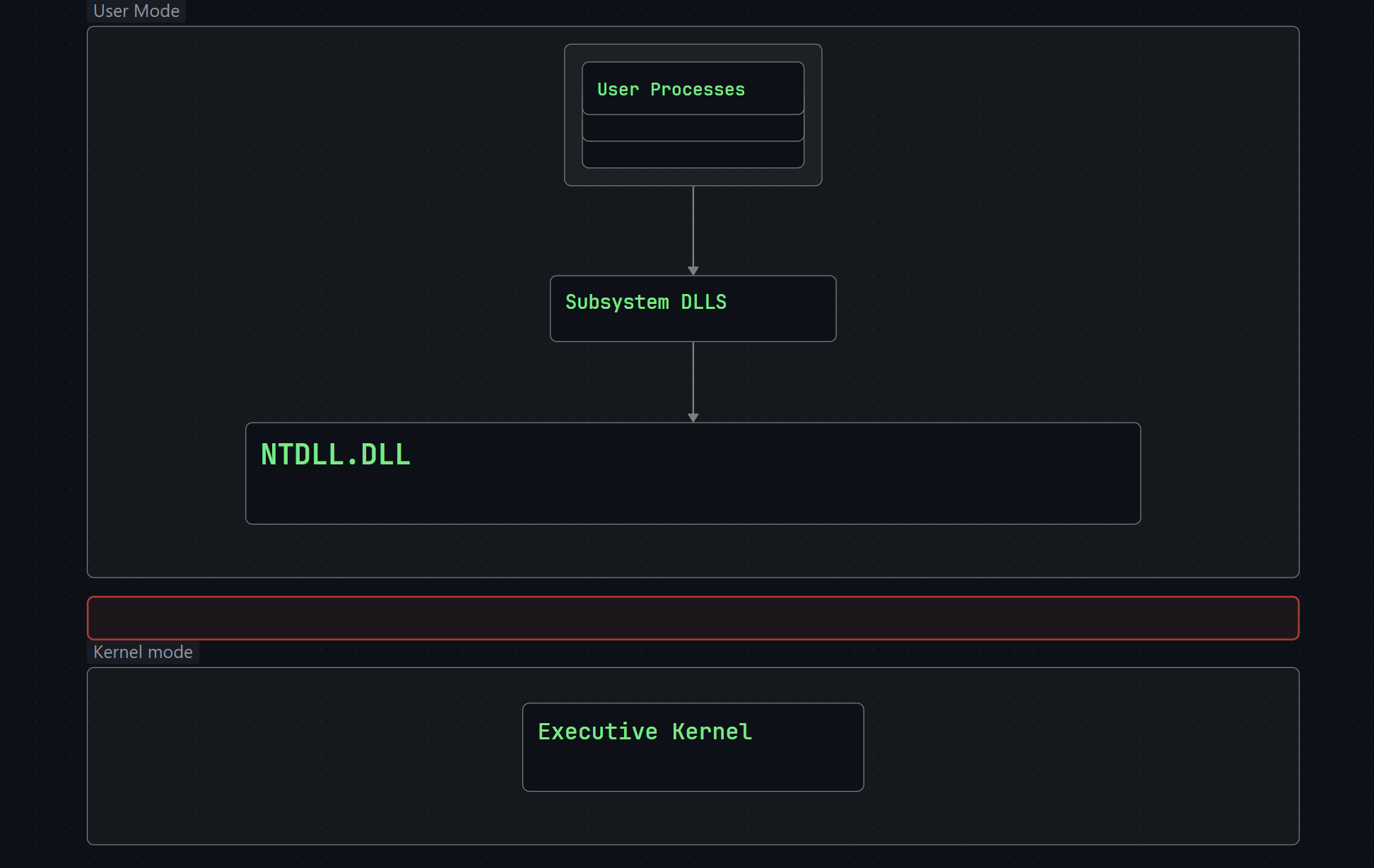
- User Processes - A program/application executed by the user such as Notepad, Google Chrome or Microsoft Word.
- Subsystem DLLs - DLLs that contain API functions that are called by user processes. An example of this would be
kernel32.dllexporting the CreateFile Windows API (WinAPI) function, other common subsystem DLLs arentdll.dll,advapi32.dll, anduser32.dll. - Ntdll.dll - A system-wide DLL which is the lowest layer available in user mode. This is a special DLL that creates the transition from user mode to kernel mode. This is often referred to as the Native API or NTAPI.
- Executive Kernel - This is what is known as the Windows Kernel and it calls other drivers and modules available within kernel mode to complete tasks. The Windows kernel is partially stored in a file called
ntoskrnl.exeunder “C:\Windows\System32”.
So, basically on your computer a program that is developed for windows is using Windows API, directly interacting to kernel 32.dll and others which later interact with ntdll.dll. Then this ntdll.dll will do system call making the kernel do the work.
Important
It’s important to note that applications can invoke syscalls (i.e. NTDLL functions) directly without having to go through the Windows API. The Windows API simply acts as a wrapper for the Native API. With that being said, the Native API is more difficult to use because it is not officially documented by Microsoft. Furthermore, Microsoft advises against the use of Native API functions because they can be changed at any time without warning.